The best office headsets under 100 balance clear calls, comfortable wear, and practical connections to your work devices. Choose between dedicated boom microphones, longer battery life, and simpler on-ear headphones based on how often you take calls.
Quick Top Products
JLab Go Work Pop
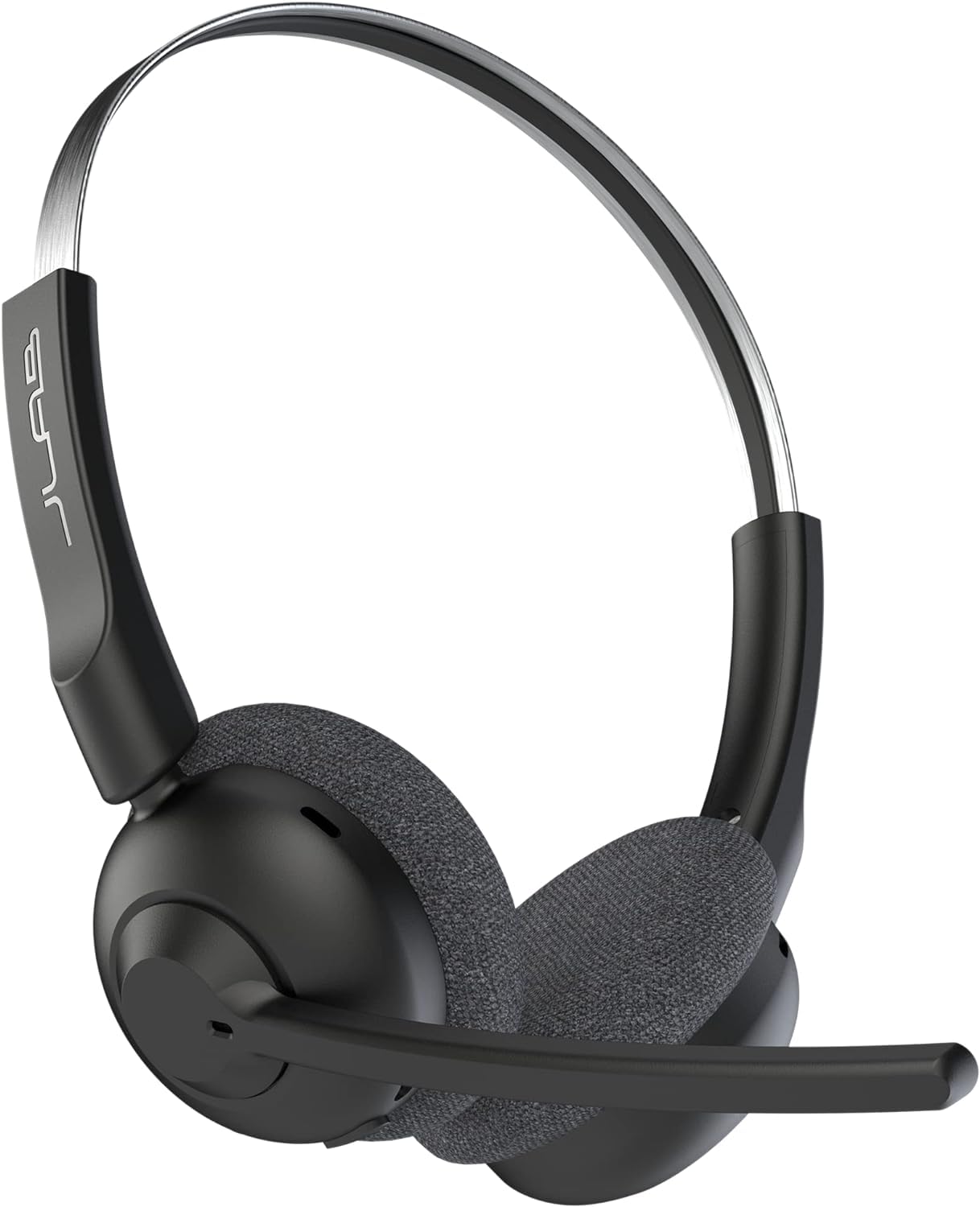
- 50+ hours of wireless playtime with USB-C charging
- Multipoint Bluetooth connects to two devices
- Rotating boom mic flips up to mute
Best For: People who want a lightweight wireless headset for a full week of calls and listening.

JLab JBuds Work
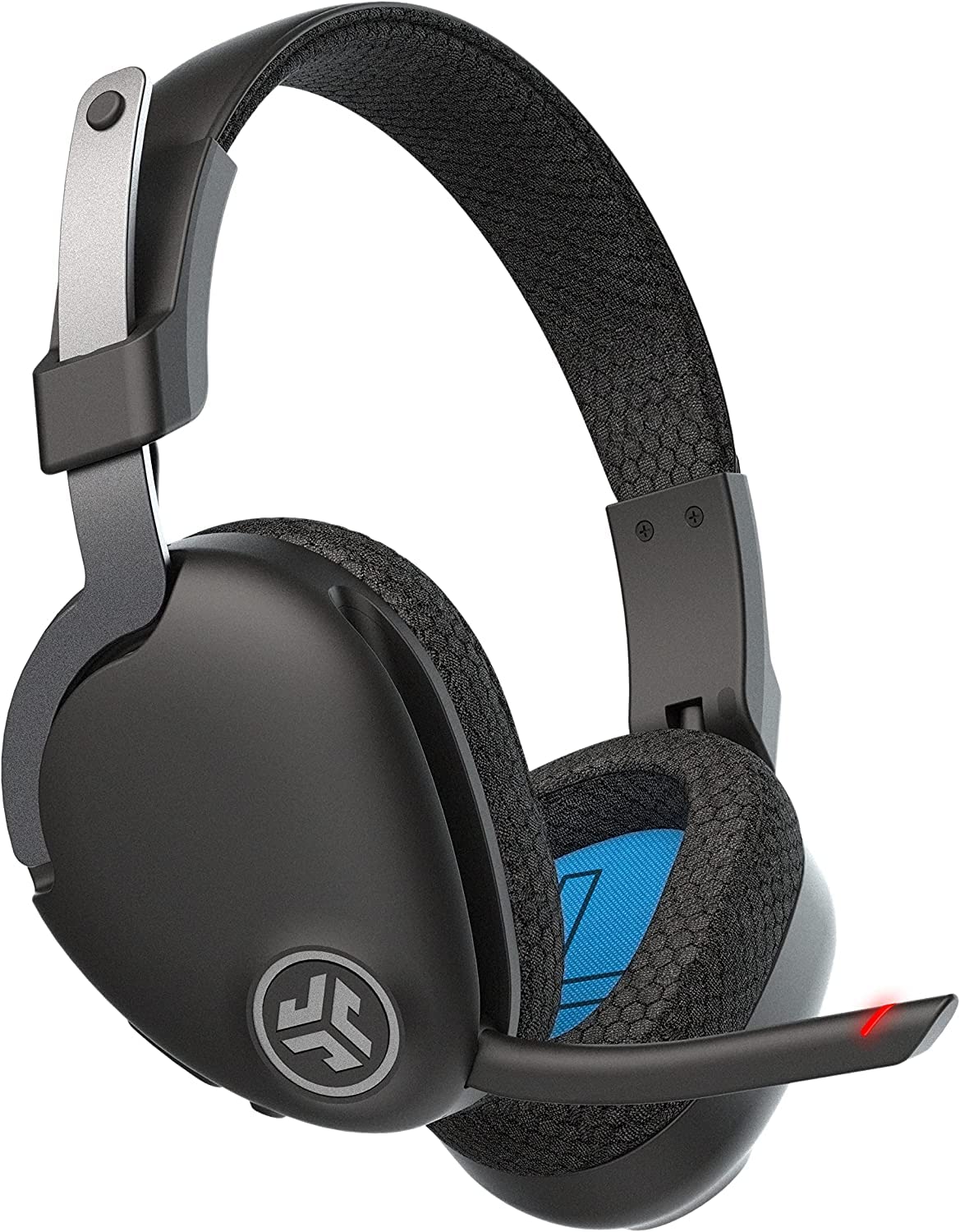
- Over-ear design with Cloud Foam earcups
- 60+ hours of playtime and two-device Bluetooth multipoint
- Includes a USB-C to 3.5 mm cable and a red mute indicator
Best For: Office users who prefer over-ear cushions, multipoint Bluetooth, and a wired fallback.
JLab Go Work
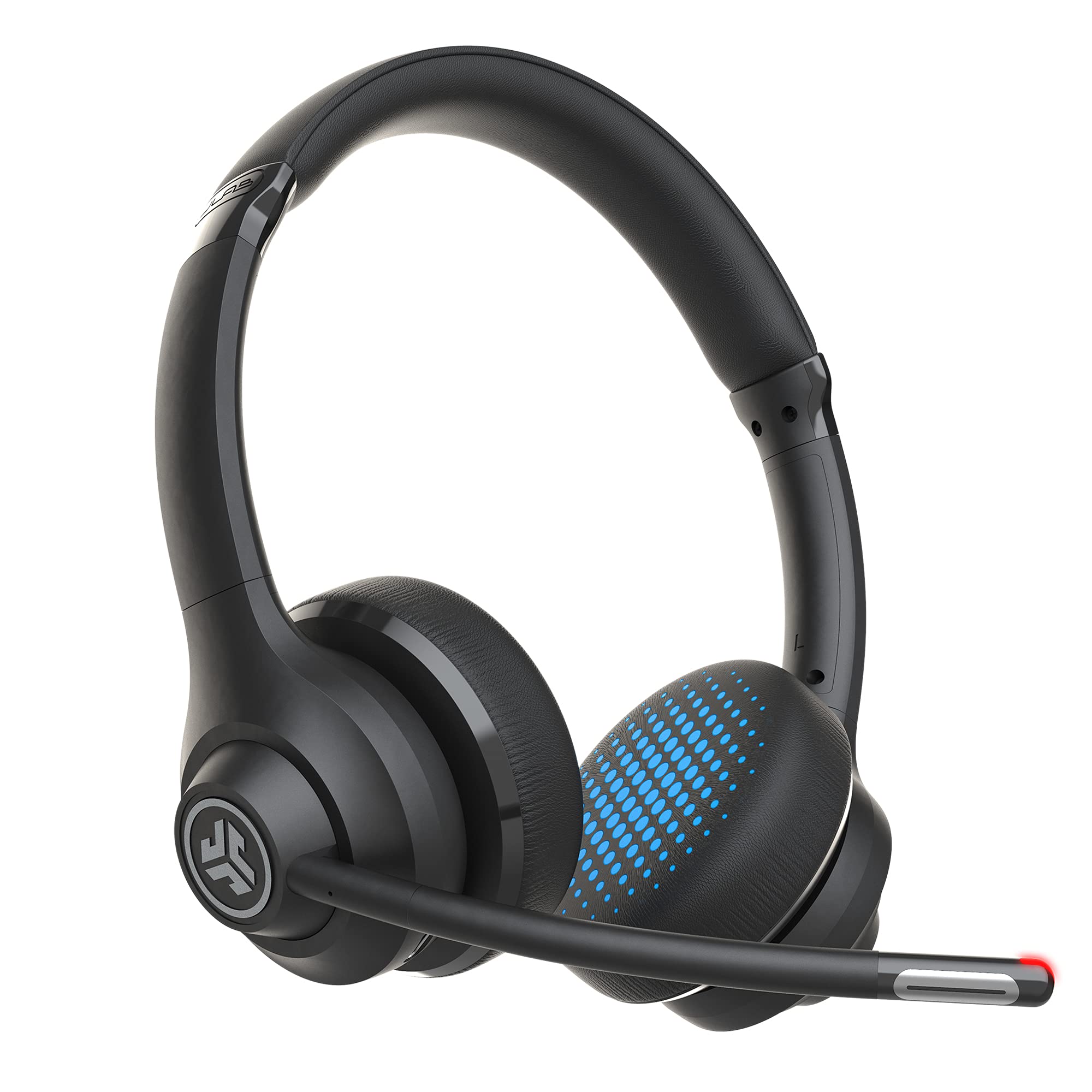
- 45+ hours of playtime with Bluetooth or wired use
- Multipoint Bluetooth connects to two devices
- Dual microphones and a red mute-status light
Best For: Workers who want an on-ear call headset that can connect wirelessly or by cable.
JLab Go Lux ANC
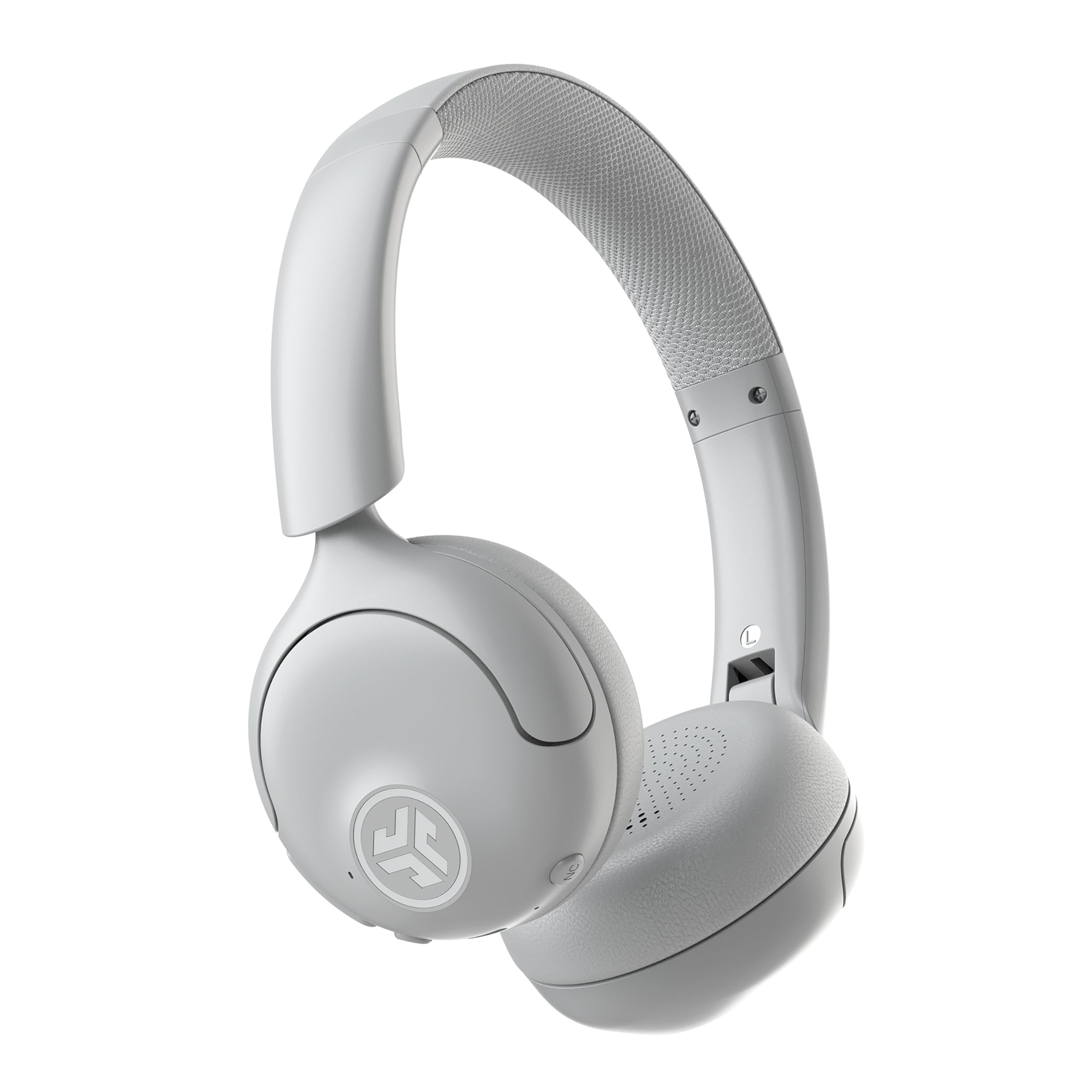
- Hybrid ANC reduces ambient noise by up to 30 dB
- Up to 50 hours of playtime and two-device multipoint
- App controls for EQ, ANC, and Be Aware levels
Best For: People who want on-ear headphones with active noise cancellation for office listening.
JLab Rewind 2
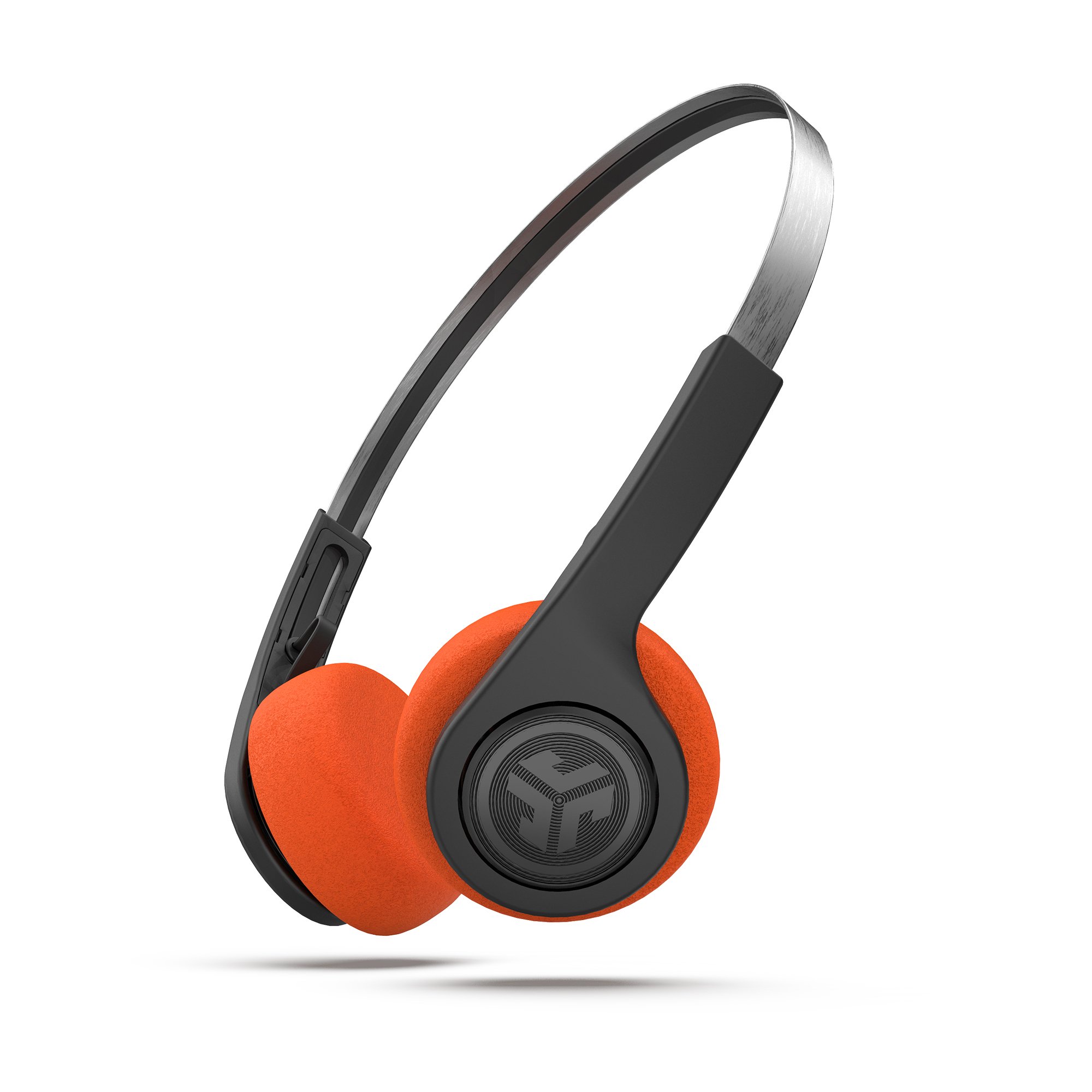
- 20+ hours of playtime with USB-C charging
- Bluetooth multipoint connects two devices
- Three EQ presets, app controls, and two foam pad sets
Best For: Listeners who want wireless on-ear headphones for desk listening, music, and occasional calls.
JLab Studio Wireless
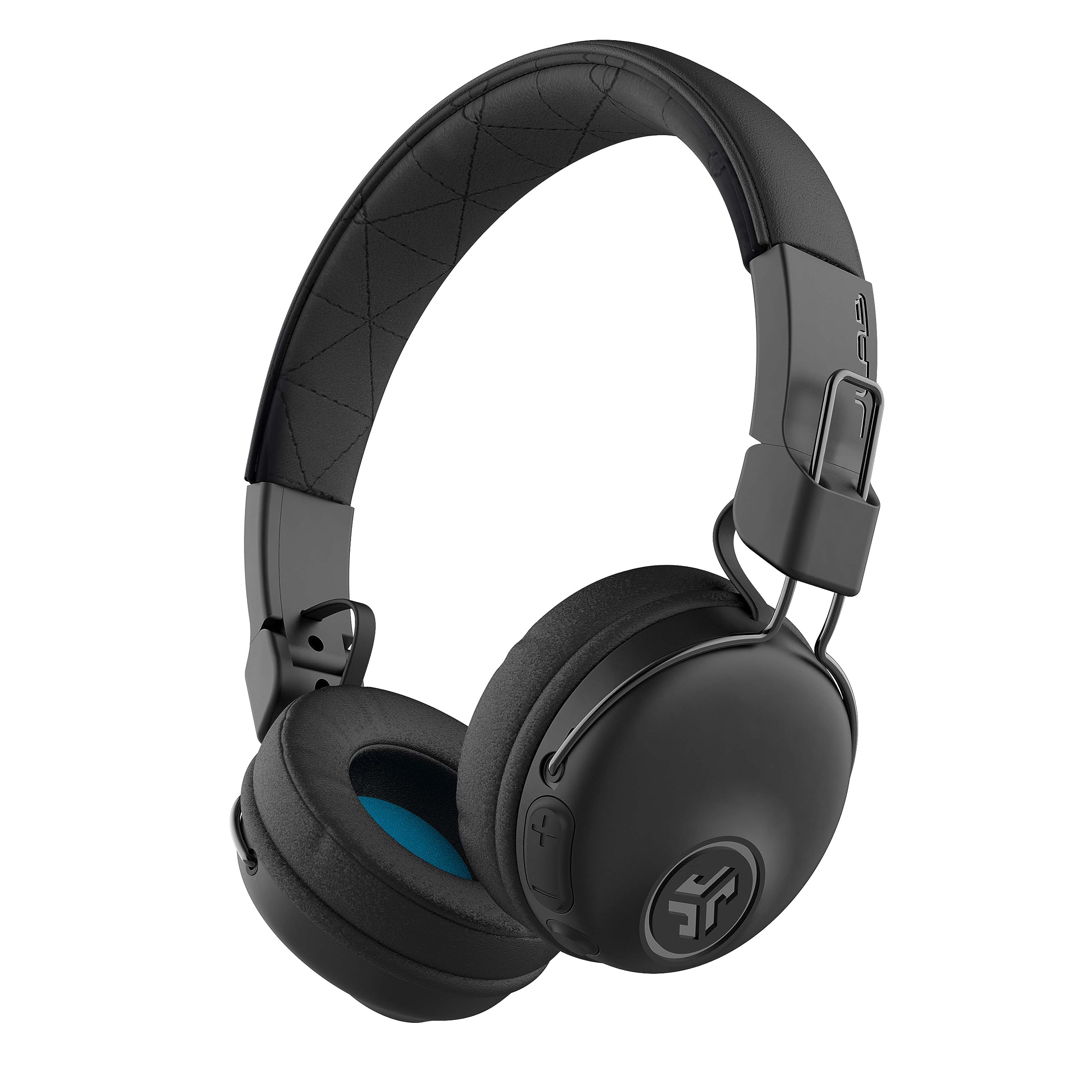
- 30+ hours of Bluetooth playtime
- Foldable design with Cloud Foam earcups
- Three onboard EQ presets and a built-in microphone
Best For: People who want foldable wireless on-ear headphones for work, commutes, and general listening.
Long Battery Life for Workdays
JLab Go Work Pop, On-Ear Wireless Headset, Bluetooth Multipoint, Noise Canceling Boom Mic, Black
The JLab Go Work Pop pairs a compact on-ear fit with a rotating boom microphone and Bluetooth multipoint for two devices. Its 50-plus hours of wireless playtime can reduce charging interruptions during a busy workweek.
The microphone uses noise-canceling MEMS technology, and flipping the boom upward mutes it. Voice and Music EQ modes suit calls or casual listening, while Cloud Foam earcups and USB-C charging round out the everyday setup.
This is a practical choice for desk work when wireless convenience matters. Consider the on-ear fit if you prefer headphones that cover the ears.
Best For: People who want a lightweight wireless headset for a full week of calls and listening.
| Pros | Cons |
|---|---|
|
|
Choose the Go Work Pop if you want a wireless work headset with a boom mic and long battery life in a portable on-ear design. Its flip-to-mute feature provides a quick physical call control, and multipoint can keep a computer and phone connected.
Compare it with the JBuds Work if you prefer over-ear coverage and a wired option, or with the Go Work if you want a similar office-focused setup with a different playtime figure and dual-microphone call system.
Over-Ear Comfort and Wired Backup
JLab JBuds Work Wireless Headset with Microphone, Over Ear Computer Headsets, Wired or Wireless Headphones with 60+ Playtime, Multipoint Bluetooth Headset for Laptop Teams, Office with Mic (16 Pack)
The JLab JBuds Work is an over-ear wireless headset for people who spend much of the day on calls. It offers 60-plus hours of playtime, Bluetooth multipoint for two devices, and an included USB-C to 3.5 mm cable for wired use.
Its boom microphone uses two microphones, including one that reduces surrounding environmental sounds, and a red LED indicates mute status. Controls include a mute button, while Voice and Music EQ modes cover meetings and listening.
The pack contains 16 headsets, so this offer is more suited to outfitting a team than buying one personal headset.
Best For: Office users who prefer over-ear cushions, multipoint Bluetooth, and a wired fallback.
| Pros | Cons |
|---|---|
|
|
Consider JBuds Work when outfitting multiple desks or when you want over-ear cushions and both wireless and cable connections. It has the highest stated playtime among the selected office headsets and a visible mute indicator.
Its 16-pack is the key buying consideration: individuals may find a single-headset option more suitable, while teams can use the multipoint and wired features across different work setups. Check that the included cable fits your devices and preferred connection workflow.
Dual-Microphone Calls and Two Connection Modes
JLab Go Work Wireless Headsets with Microphone, 45+ Playtime PC Bluetooth Headset and Multipoint Connect to Laptop Computer and Mobile, Wired or Wireless Headphones (1 Pack)
The JLab Go Work combines an on-ear design with a boom microphone and 45-plus hours of playtime. It connects by Bluetooth multipoint to two devices, or by the included USB-C to 3.5 mm cable for wired listening.
Two microphones support calls, with one intended to pick up the user's voice and the other to reduce surrounding sounds. On-headset buttons handle call, volume, mute, and playback controls, while a red LED at the boom tip shows mute status.
This offers a useful balance for a desk where calls and general listening share one headset.
Best For: Workers who want an on-ear call headset that can connect wirelessly or by cable.
| Pros | Cons |
|---|---|
|
|
The Go Work suits an individual who wants one headset for computer calls, mobile calls, and wired listening. Its dual-microphone arrangement and visible mute indicator make call controls central to the design.
Choose the JBuds Work if over-ear coverage and a longer stated playtime matter more, or the Go Work Pop for a lighter on-ear format and longer listed battery life. Before buying, confirm that your computer supports the included cable connection if you plan to use it wired.
Noise Cancellation for Focus Between Calls
JLab, Go Lux ANC, On Ear Headphones, Active Noise Cancelling, Bluetooth MultIPoint, Cloud White
The JLab Go Lux ANC is an on-ear Bluetooth headphone designed for listening in noisier surroundings as well as taking calls. Hybrid active noise cancellation reduces ambient noise by up to 30 dB, while Be Aware mode lets surrounding sound in.
It supports multipoint Bluetooth for two devices and offers up to 50 hours of playtime. The JLab app can adjust ANC and Be Aware levels, customize EQ, remap touch controls, and set hearing limits.
The supplied features emphasize listening and noise control more than a dedicated boom microphone, so frequent meeting callers may prefer a work-headset model.
Best For: People who want on-ear headphones with active noise cancellation for office listening.
| Pros | Cons |
|---|---|
|
|
Pick the Go Lux ANC if blocking some office or commute noise is as important as listening between meetings. Its adjustable ANC and Be Aware settings provide more sound-management options than the selected work headsets, and multipoint can keep two devices paired.
For frequent calls, compare its microphone setup with the dedicated boom microphones on Go Work Pop, Go Work, and JBuds Work. Check that the controls and app-based adjustments fit how you prefer to manage sound.
Retro Style with Multipoint and App Controls
JLab, Rewind 2, Retro Wireless on-Ear Headphones, Bluetooth multipoint, EQ3, Google Fast Pair, Be Aware, Wireless Sharing, Black
The JLab Rewind 2 is a lightweight retro-style on-ear headphone with more than 20 hours of playtime and USB-C charging. Bluetooth multipoint connects two devices, and the onboard controls manage volume, tracks, and calls.
Three EQ modes offer JLab Signature, Balanced, and Bass Boost sound options. The JLab app adds EQ customization, control remapping, Be Aware settings, and firmware updates.
It also includes two sets of foam pads in different colors and a wireless sharing mode for a second compatible Rewind 2. Its features favor everyday listening, so people who need a boom mic for frequent meetings should compare office-focused models.
Best For: Listeners who want wireless on-ear headphones for desk listening, music, and occasional calls.
| Pros | Cons |
|---|---|
|
|
The Rewind 2 fits a desk where music and general wireless listening take priority, with calls as an occasional feature. Multipoint, EQ choices, and app controls add useful flexibility, while its lightweight retro design distinguishes it from the purpose-built work headsets.
If meetings dominate your day, the Go Work Pop or Go Work offers a dedicated boom mic. Compare the Rewind 2's 20-plus hours of playtime with the longer stated figures of the office models if charging frequency is a priority.
Foldable Headphones for Calls and Commuting
JLab, Studio, Wireless On-Ear Headphones, Bluetooth, Foldable, Built-in Mic, Black
The JLab Studio Wireless is a foldable on-ear headphone with more than 30 hours of Bluetooth playtime and a built-in microphone. Three EQ presets—JLab Signature, Balanced, and Bass Boost—make it easy to change the sound for music, podcasts, or other listening.
Its Bluetooth 5 connection works with phones, tablets, and laptops, while Cloud Foam earcups and a faux-leather headband cushion longer sessions. The folding design is useful for commuting or putting the headphones away after work.
It has a built-in mic, but the supplied features do not identify a dedicated boom microphone, so call-heavy users may prefer a work headset.
Best For: People who want foldable wireless on-ear headphones for work, commutes, and general listening.
| Pros | Cons |
|---|---|
|
|
Choose Studio Wireless for a straightforward pair of foldable headphones that can handle music and occasional calls around a workday. Its longer-than-30-hour playtime and three EQ presets suit mixed listening, and the foldable format is convenient to carry.
For frequent conferencing or quick mute control, the Go Work Pop has a boom microphone and flip-to-mute function. If you need two devices connected at once, look at a model whose multipoint support is specified.
How to Choose Office Headsets Under 100
How We Picked Office Headsets Under $100
We focused on products in the supplied candidates that suit adult desk work, with attention to call controls, microphone design, connection choices, comfort details, and battery life. That puts dedicated work headsets first for people who spend much of the day in meetings.
General on-ear headphones remain useful for listeners who split time between work calls, music, and commuting.
We left out children's JBuddies models because their sizing and volume-limiting features target young listeners. We also avoided treating a built-in listening microphone as interchangeable with a dedicated boom mic.
That distinction matters for buyers who want a prominent, quickly muted microphone during meetings.
Comparing Office Headsets Under $100
The Go Work Pop combines a rotating, flip-to-mute boom mic with 50-plus hours of playtime, while the Go Work includes a wired cable and dual microphones alongside 45-plus hours. JBuds Work is the over-ear option and has the longest stated playtime at 60-plus hours, plus wired and wireless connections.
Its 16-pack offer makes most sense for a team purchase.
Go Lux ANC serves a different office need: listening with adjustable active noise cancellation and Be Aware mode. Rewind 2 and Studio Wireless emphasize general listening, portability, and EQ choices.
Their built-in microphones can handle calls, but a dedicated boom mic is not specified. The comparison table below can help match those feature differences to your typical workday.
| Product | Standout features | Best for |
|---|---|---|
| JLab Go Work PopCheck Price |
| People who want a lightweight wireless headset for a full week of calls and listening. |
| JLab JBuds WorkCheck Price |
| Office users who prefer over-ear cushions, multipoint Bluetooth, and a wired fallback. |
| JLab Go WorkCheck Price |
| Workers who want an on-ear call headset that can connect wirelessly or by cable. |
| JLab Go Lux ANCCheck Price |
| People who want on-ear headphones with active noise cancellation for office listening. |
| JLab Rewind 2Check Price |
| Listeners who want wireless on-ear headphones for desk listening, music, and occasional calls. |
| JLab Studio WirelessCheck Price |
| People who want foldable wireless on-ear headphones for work, commutes, and general listening. |
Choosing a Headset for Office Calls
Start with how often you speak in meetings. A dedicated boom microphone, like the ones on Go Work Pop, Go Work, and JBuds Work, offers a clear physical control point; the Go Work Pop flips up to mute, and the other two include a mute button or indicator.
If you mainly listen and take occasional calls, Rewind 2 or Studio Wireless may cover a broader mix of music and work.
Also consider whether you want on-ear or over-ear cushions. The selected models provide both styles, but comfort is personal.
The Go Work models use on-ear cushions, while JBuds Work is over-ear. For a more focused listening setup, Go Lux ANC adds adjustable noise cancellation and a mode that lets surrounding sound in.
Wireless, Wired, and Battery Choices
Multipoint Bluetooth is useful when you regularly move between a laptop and phone. Go Work Pop, Go Work, JBuds Work, Go Lux ANC, and Rewind 2 each specify two-device multipoint.
Go Work and JBuds Work also include a USB-C to 3.5 mm cable for wired use, which offers an alternate way to connect. Check that the cable works with the device you plan to use.
Battery figures vary by model: JBuds Work is rated for 60-plus hours, Go Work Pop for 50-plus, Go Work for 45-plus, Go Lux ANC for up to 50, Studio Wireless for 30-plus, and Rewind 2 for 20-plus. These are stated playtime figures, not a direct comparison under one shared setup.
Consider how often you can charge during your workweek and whether active noise cancellation features fit your use.
Who Should Buy Which Office Headset?
Choose Go Work Pop for a compact work headset with a flip-to-mute boom mic and long stated playtime. Choose Go Work if you want a wired option and dual-microphone design in an on-ear format.
JBuds Work suits teams buying in quantity or individuals who specifically want over-ear cushions, though its offer is a 16-pack.
Choose Go Lux ANC when adjustable noise reduction is central to your work and listening routine. Rewind 2 suits listeners who value app controls, multipoint, and retro styling, while Studio Wireless offers a foldable design and multiple EQ presets.
For all models, confirm the fit, device connections, and microphone setup you need before buying.