The FIFINE Microphone Boom Arm review centers on the BM88’s low-profile layout, broad positioning range, and built-in cable management. It is designed for a desk setup where a conventional raised arm could crowd the monitor or work area.
FIFINE BM88 Boom Arm Review Summary
The quick verdict
5,000+ ratings
Read Amazon ReviewsFIFINE BM88 Microphone Boom Arm
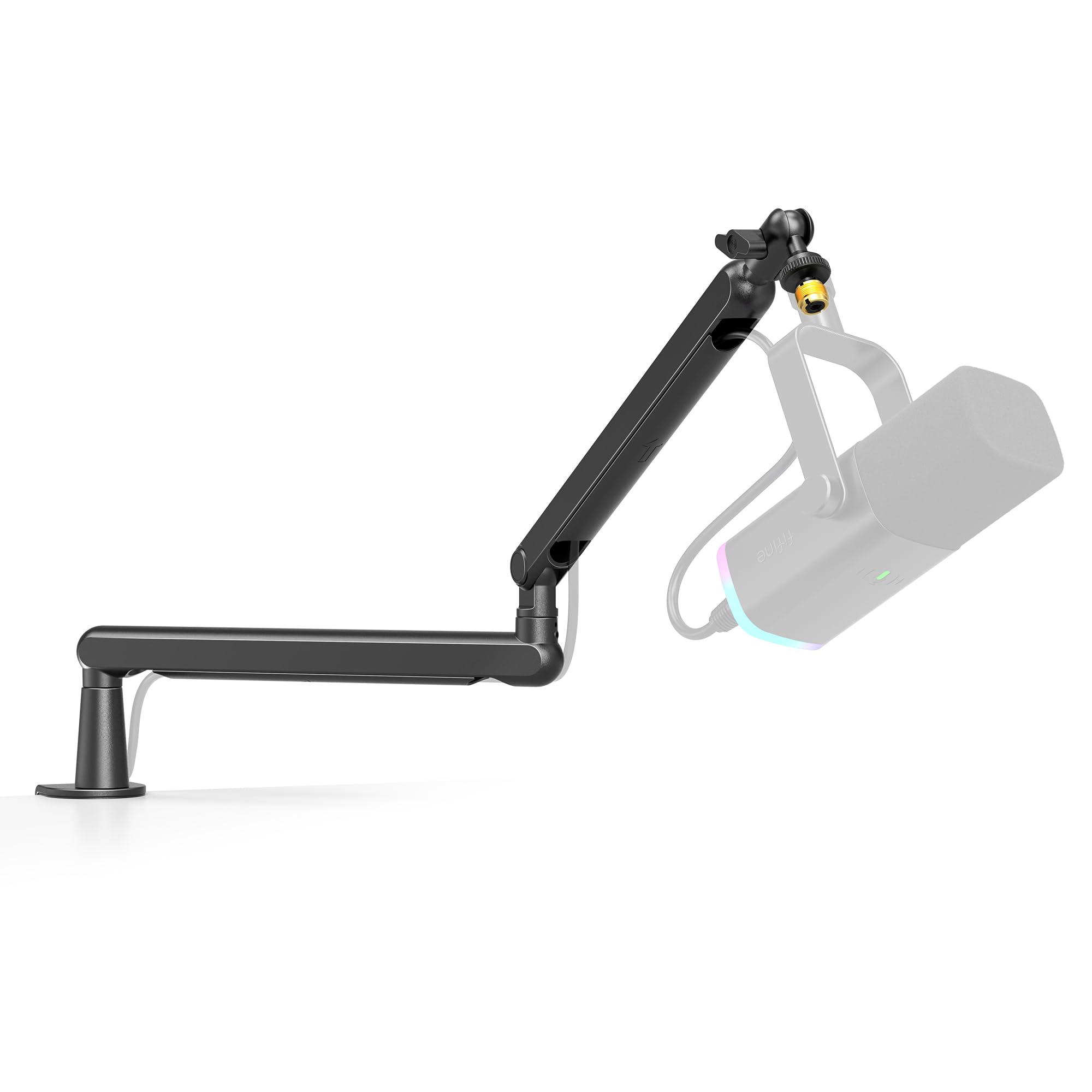
A low-profile metal boom arm for streamers, podcasters, and creators who want flexible mic positioning and a tidier desk.
- All-metal microphone arm with a desk C-clamp.
- Low-profile configuration designed to extend beneath the bottom of a computer screen.
- Extends up to 29 inches, rotates horizontally 360 degrees, and adjusts vertically up to 220 degrees.
- The arm section nearest the clamp does not adjust vertically.

Pros
- Low-profile reach is suited to desks where a raised arm could interfere with the monitor view.
- Long extension and wide horizontal rotation provide several ways to position or move the microphone.
Consider before buying
- The section nearest the desk clamp cannot be tilted vertically, which limits adjustment at that joint.
- The clamp’s 0.8-to-2.4-inch desktop range may not fit every desk; measure the clamping area before buying.
Read the full review summary
The FIFINE BM88 is a desk-clamped microphone arm with an all-metal construction, a low-profile reach, and a rotatable ball head.
Its arm extends up to 29 inches, moves horizontally through 360 degrees, and adjusts vertically through 220 degrees, though the section beside the clamp does not tilt vertically.
That layout gives creators several ways to bring a mic toward a speaking position and move it aside afterward.
Cable management and included thread adapters make the BM88 a self-contained starting point for a home recording or streaming desk. The clamp fits desktops from 0.8 to 2.4 inches thick, and the microphone itself is not included.
It suits buyers whose priority is keeping the arm below the monitor line; people who need a particular reach or mount position should map that out against their desk before choosing.
The buying factors
FIFINE BM88 Boom Arm Scorecard
Editorial scores reflect listed features and buyer fit; they are not laboratory measurements or customer ratings.
Low-profile desk fit
The arm is designed to extend from below a screen, helping preserve monitor visibility and usable desk space.
Positioning range
Up to 29 inches of extension, 360-degree horizontal movement, and 220-degree vertical adjustment offer flexible placement, with a fixed vertical section near the clamp.
Cable organization
Built-in hidden cable management can keep a microphone lead arranged along the arm.
Mounting flexibility
The package includes a desk clamp and adapters for 1/4-inch, 3/8-inch, and 5/8-inch threads.
Desk compatibility
The clamp accommodates desktops between 0.8 and 2.4 inches thick, so buyers need to check their desktop dimensions.
Setup completeness
The clamp, ball head, adapters, wrench, and manual are included, while a microphone must be supplied separately.
Key Features and Specifications of FIFINE BM88 Boom Arm
- All-metal microphone arm with a desk C-clamp.
- Low-profile configuration designed to extend beneath the bottom of a computer screen.
- Extends up to 29 inches, rotates horizontally 360 degrees, and adjusts vertically up to 220 degrees.
- The arm section nearest the clamp does not adjust vertically.
- Hidden cable management helps route a microphone cable along the arm.
- Rotatable ball head comes with 1/4-inch to 3/8-inch and 3/8-inch to 5/8-inch thread adapters.
- Package includes the boom arm, desk clamp, ball head, Allen wrench, and user manual; microphone not included. Clamp fits desktops 0.8 to 2.4 inches thick.
Pros and Cons of FIFINE BM88 Boom Arm
Pros
- Low-profile reach is suited to desks where a raised arm could interfere with the monitor view.
- Long extension and wide horizontal rotation provide several ways to position or move the microphone.
- Hidden cable routing helps keep a desk setup more orderly.
- Included thread adapters support several common microphone or mount connections.
Consider before buying
- The section nearest the desk clamp cannot be tilted vertically, which limits adjustment at that joint.
- The clamp’s 0.8-to-2.4-inch desktop range may not fit every desk; measure the clamping area before buying.
- A microphone is not included, so this is an arm mount rather than a complete recording setup.
Who Should Buy FIFINE BM88 Boom Arm?
Good fit
Consider the FIFINE BM88 if you want a microphone arm that can work below the monitor line and leave more of the desk accessible.
The low-profile shape is especially relevant when you game, edit, or work with a screen close to the back edge of the desk and want the microphone to enter the speaking area without dominating the view.
Its 29-inch extension and full horizontal rotation allow you to plan a position around your chair and screen. The ball head and included adapters also reduce the need to source a separate thread adapter for compatible mounts.
Before ordering, check that the clamp can reach your desktop edge and that the desktop thickness is within its 0.8-to-2.4-inch range.
This is a better fit when cable tidiness and a below-screen profile matter as much as the basic ability to hold a microphone.
Think through the immovable vertical joint beside the clamp when planning your reach: if that joint’s location prevents the arm from clearing your monitor or placing the mic where you need it, another arm geometry may be easier to work with.
Who should skip it
Skip this configuration if your desktop falls outside the clamp’s stated thickness range or its edge shape leaves no practical place to attach the C-clamp. Measure the intended mounting point rather than assuming every desk edge will work.
Look for another mount style if your setup requires vertical movement at the joint nearest the clamp. Also account for the separate microphone purchase if you are assembling a complete recording setup from scratch.
What the FIFINE BM88 Boom Arm Means for Your Desk
A low position changes the workspace tradeoff
A low-profile arm can approach the microphone from below the screen instead of crossing the monitor area from above.
That can be useful for a gaming or work desk where the screen should remain unobstructed and the mic needs to move in and out of the speaking position.
Actual clearance depends on monitor height and where the clamp sits, so it helps to sketch the arm’s path before setup.
Plan around the adjustment points
The arm offers 360-degree horizontal movement and up to 220 degrees of vertical adjustment, with extension up to 29 inches. These figures describe the available range, but placement still depends on the geometry of the desk and screen.
Since the section nearest the clamp does not tilt vertically, choose a clamp location that allows the adjustable portion to rise or lower as needed.
Cable management is part of the setup
Routing a microphone lead along the arm can reduce loose cable across the desk and make it easier to reposition the mic without pulling the cable across other equipment.
The feature organizes a cable; it does not replace checking that the cable has enough slack for the positions you plan to use.
Check the connection and desktop first
The included ball head and thread adapters cover 1/4-inch, 3/8-inch, and 5/8-inch connections. Confirm the thread on the microphone or shock mount you plan to use and measure the desk thickness at the clamp location.
Those quick checks help ensure the supplied connection pieces and clamp range match your setup.
Alternatives to FIFINE BM88 Boom Arm
One useful alternative is included; the other supplied options are color versions of the BM88 and do not provide a distinct mounting design.
Microphone Stands alternative
800+ ratings
Read Amazon ReviewsFIFINE BM63 Heavy Duty Scissor Boom Arm
Choose the BM88 when a low-profile path beneath the monitor and included multi-size adapters suit your desk.
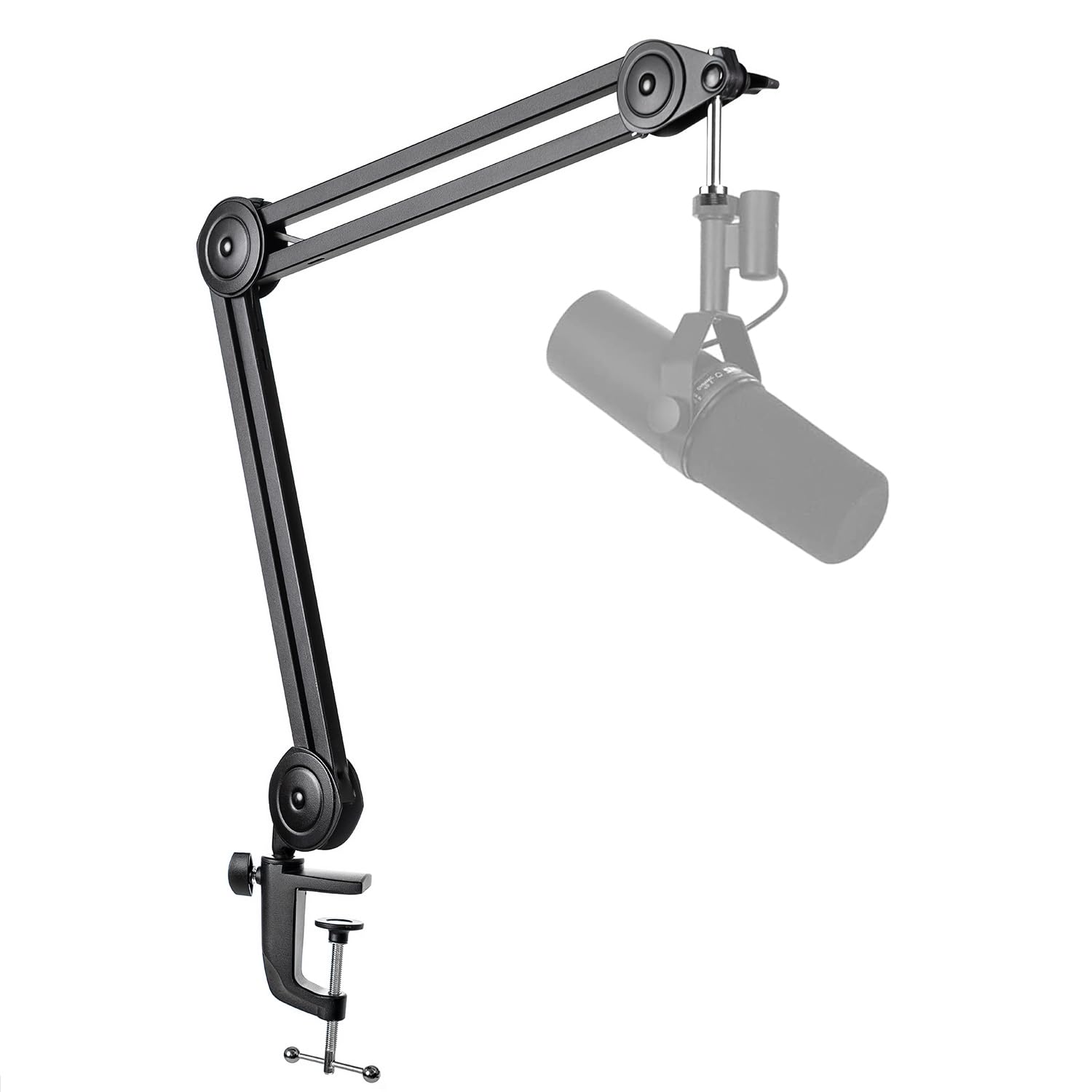
Consider the BM63 if its folding scissor layout, stated 2 kg capacity, or simpler 5/8-inch connection better fits your microphone and placement plan.
- The BM63 is a folding suspension scissor arm with a 5/8-inch screw, three cable ties, and a stated capacity of up to 2 kg.
- Its listed adjustment is 180 degrees vertically and 135 degrees horizontally, and its clamp fits desktops up to 2 inches thick.
- The BM88 uses a low-profile arm with up to 29 inches of extension, hidden cable management, a ball head, and adapters for three thread sizes.
Is FIFINE BM88 Boom Arm Worth It?
The FIFINE BM88 Microphone Boom Arm is worth considering for a streaming, podcasting, or recording desk where a below-screen arm, cable routing, and flexible horizontal placement are priorities.
Its included clamp and thread adapters make setup planning straightforward, provided the desktop and microphone connection fit.
Measure the clamp point and map the arm’s path around the monitor before buying. The fixed vertical joint beside the clamp is the main placement constraint, and you will need to provide the microphone separately.
Your review at a glance
5,000+ ratings
Read Amazon ReviewsFIFINE BM88 Microphone Boom Arm
A low-profile metal boom arm for streamers, podcasters, and creators who want flexible mic positioning and a tidier desk.
- All-metal microphone arm with a desk C-clamp.
- Low-profile configuration designed to extend beneath the bottom of a computer screen.
- Extends up to 29 inches, rotates horizontally 360 degrees, and adjusts vertically up to 220 degrees.
- The arm section nearest the clamp does not adjust vertically.